
Registration at Melbet in India – How to Sign Up & Start Betting via App 2026
Registering on Melbet takes under two minutes, and doing it through the app gives you the fastest path to your first bet. Download the Melbet app, choose your registration method, select INR as your currency, and your account is live before your next cricket match starts. The welcome bonus – up to ₹40,000 on sports or up to ₹2,12,000 on casino – is activated automatically on your first deposit. This page walks you through every step, including KYC, deposits, and what to do if something goes wrong.
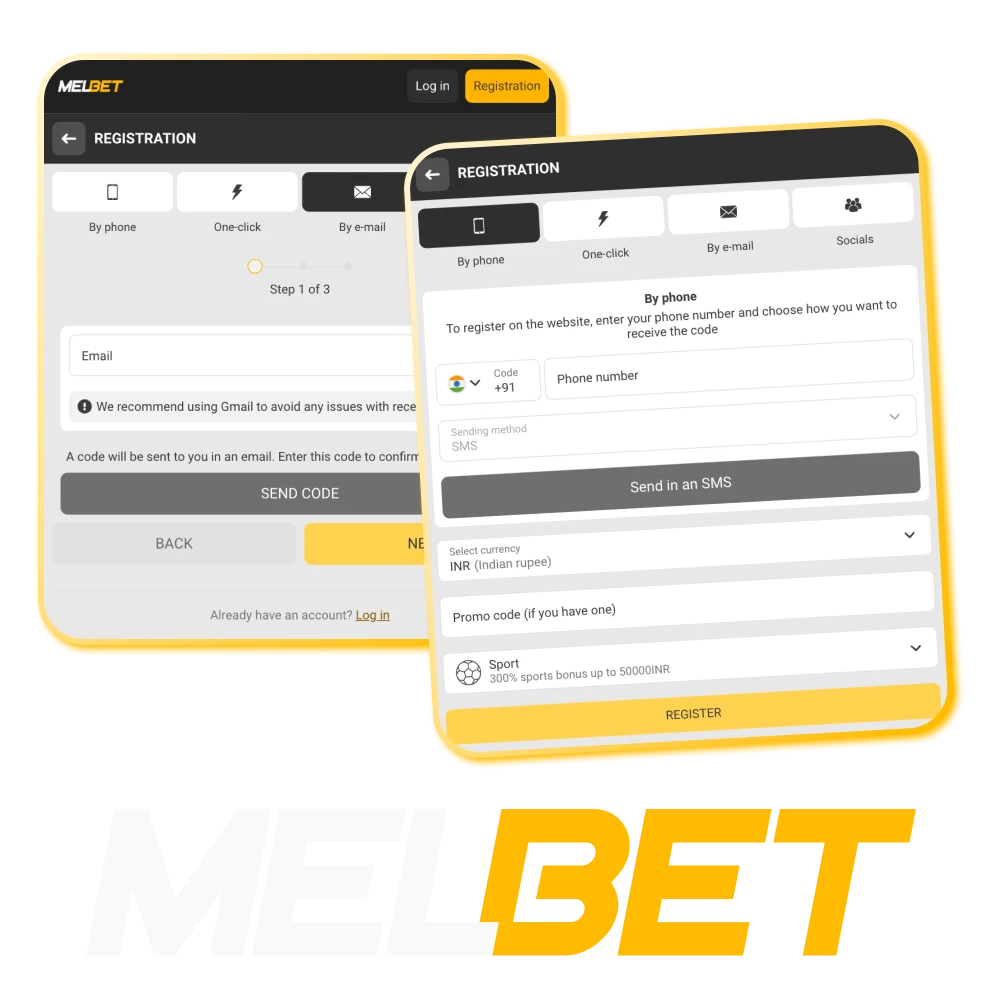
What You Need before You Register
Getting your information ready before opening the app makes the registration process significantly faster. Here is everything you need in one place.
- Age 18+ – mandatory requirement, verified against your date of birth;
- Indian phone number (+91 format) – for SMS verification;
- Valid email address – for login and account recovery;
- Payment method – UPI, PhonePe, Paytm, or Net Banking – minimum deposit ₹100;
- ID document for KYC before your first withdrawal: Aadhaar Card, PAN Card, Passport, Voter ID, or Driving Licence;
- One account per person – creating duplicate accounts leads to permanent ban.
Download the App Before Registering
The app registration and website registration create the same account, but the app gives you a smoother flow, automatic login after sign-up, and immediate access to push notifications for match alerts and bonus updates.
- For Android: download the APK (~37.6 MB) using the button on this page. It takes under a minute to install.
- For iOS: available through the App Store. If Melbet does not appear in the Indian store, a quick region change in your Apple ID settings resolves it – full instructions on the App page.
Once installed, all registration steps happen inside the app. Your account works identically on app, mobile site, and desktop after sign-up.
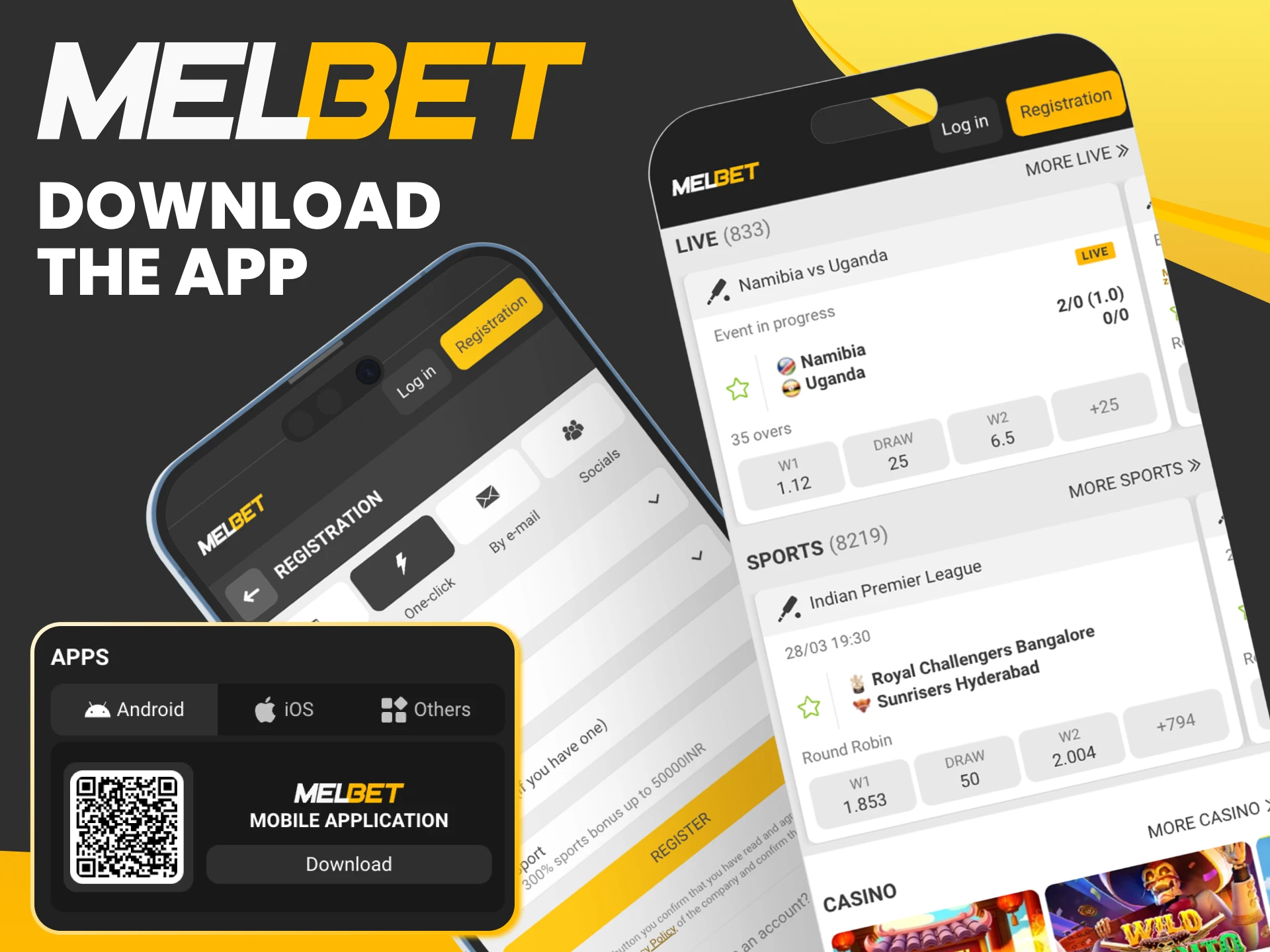
How to Register on Melbet App – Step by Step
The Melbet app offers four registration methods. All four create the same type of account and give access to the same bonuses. The difference is how you verify your identity and how you recover access if you ever lose your login.
One important rule across all methods: select INR as your currency before completing registration. This cannot be changed after the account is created. If you accidentally choose a different currency, you will need to contact support or create a new account.
One-Click Registration – Fastest Method
One-click registration is the quickest way to get started – the whole process takes about 30 seconds.
Open the app and tap Register → One Click. Select INR as your currency. Tap Register – your login and password are generated automatically and displayed on screen. Screenshot or write them down immediately before closing the screen. You can update your password later from your profile settings.
Best for: players who want to start betting immediately and can save their credentials securely.
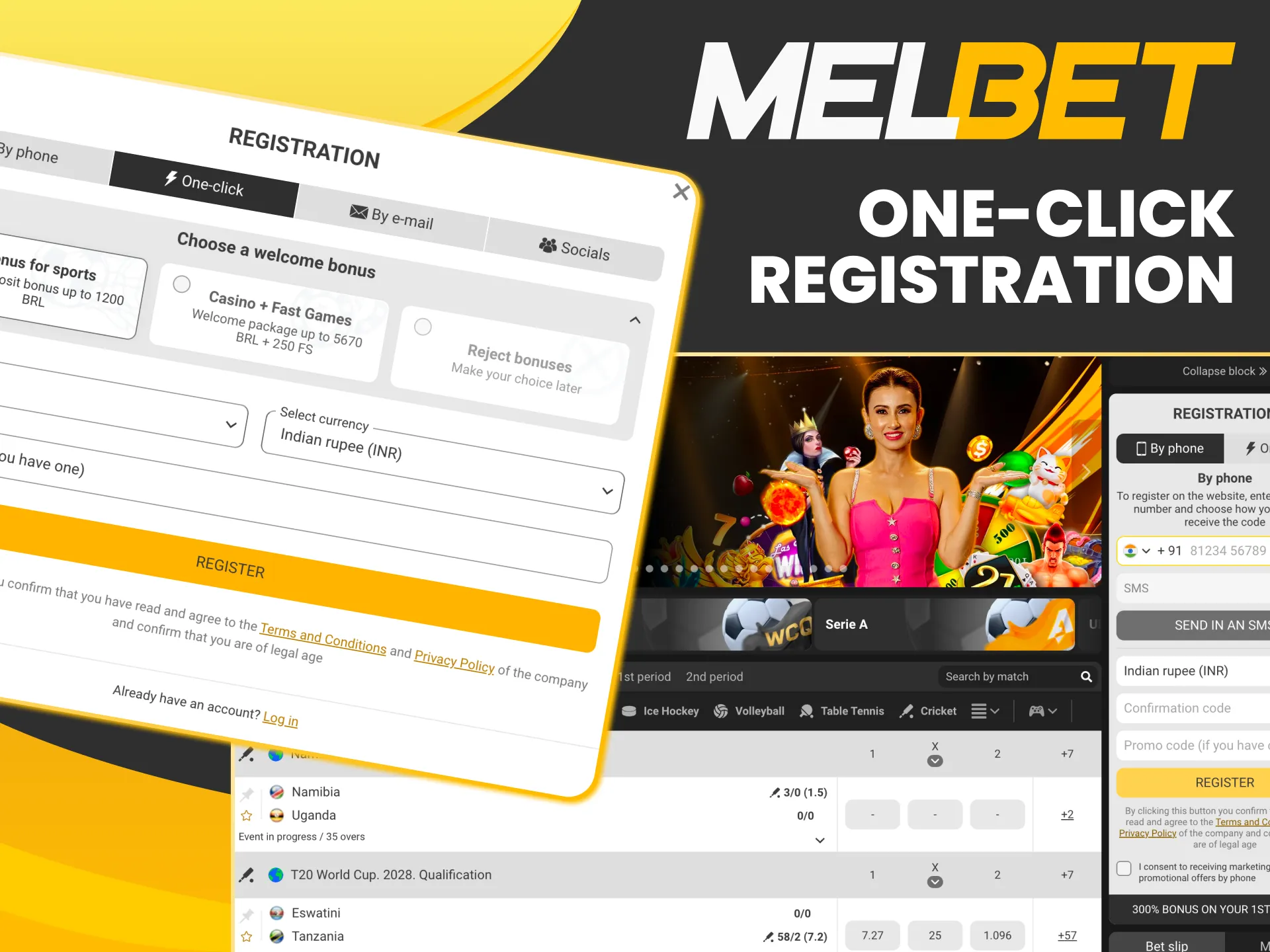
Register by Phone Number
Phone registration is the most popular method among Indian players because it makes account recovery straightforward.
Tap Register → Phone. Enter your Indian mobile number in +91 format. You will receive an SMS verification code – enter it within 5 minutes. Create a password, confirm your date of birth, and select INR. Tap Confirm to complete registration.
Best for: players who want to recover their account via phone if they forget their password.

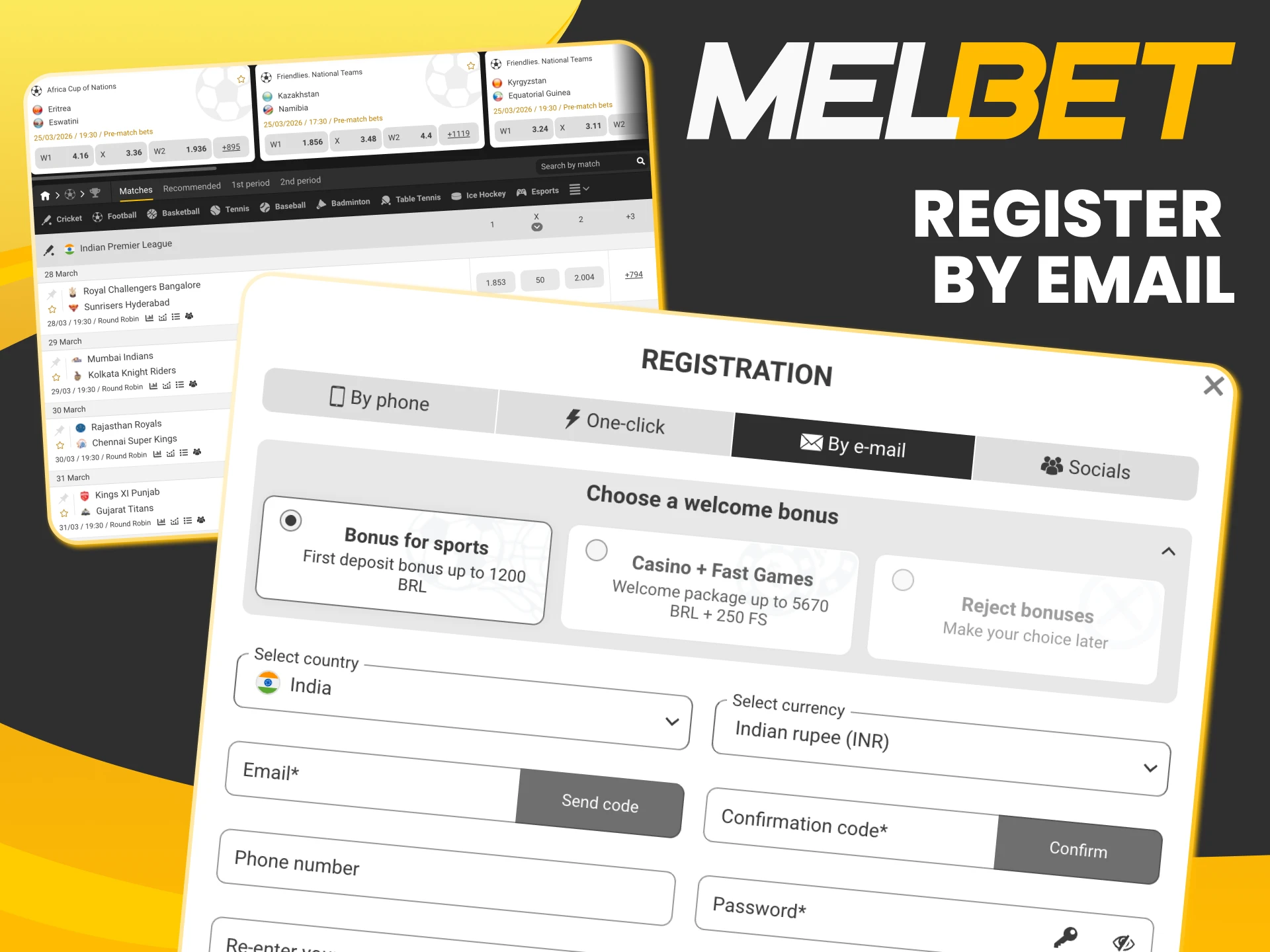
Register by Email
Email registration gives you the most control over your account credentials from the start.
Tap Register → Email. Enter a valid email address and create a password. A confirmation link is sent to your inbox – click it to verify. Fill in your date of birth and select INR. Your account is active once the email is confirmed.
Best for: players who change phone numbers frequently or prefer email-based account management.
Register via Social Media
Social registration uses your existing Google, Facebook, or Telegram account to create a Melbet profile in one tap.
Tap Register → Social and select your preferred platform. Authorise the connection – your basic details are pulled automatically. After logging in for the first time, go to your profile settings and ensure INR is set as your currency, and complete your date of birth if it was not imported automatically.
Best for: players who want to avoid managing a separate password for Melbet.
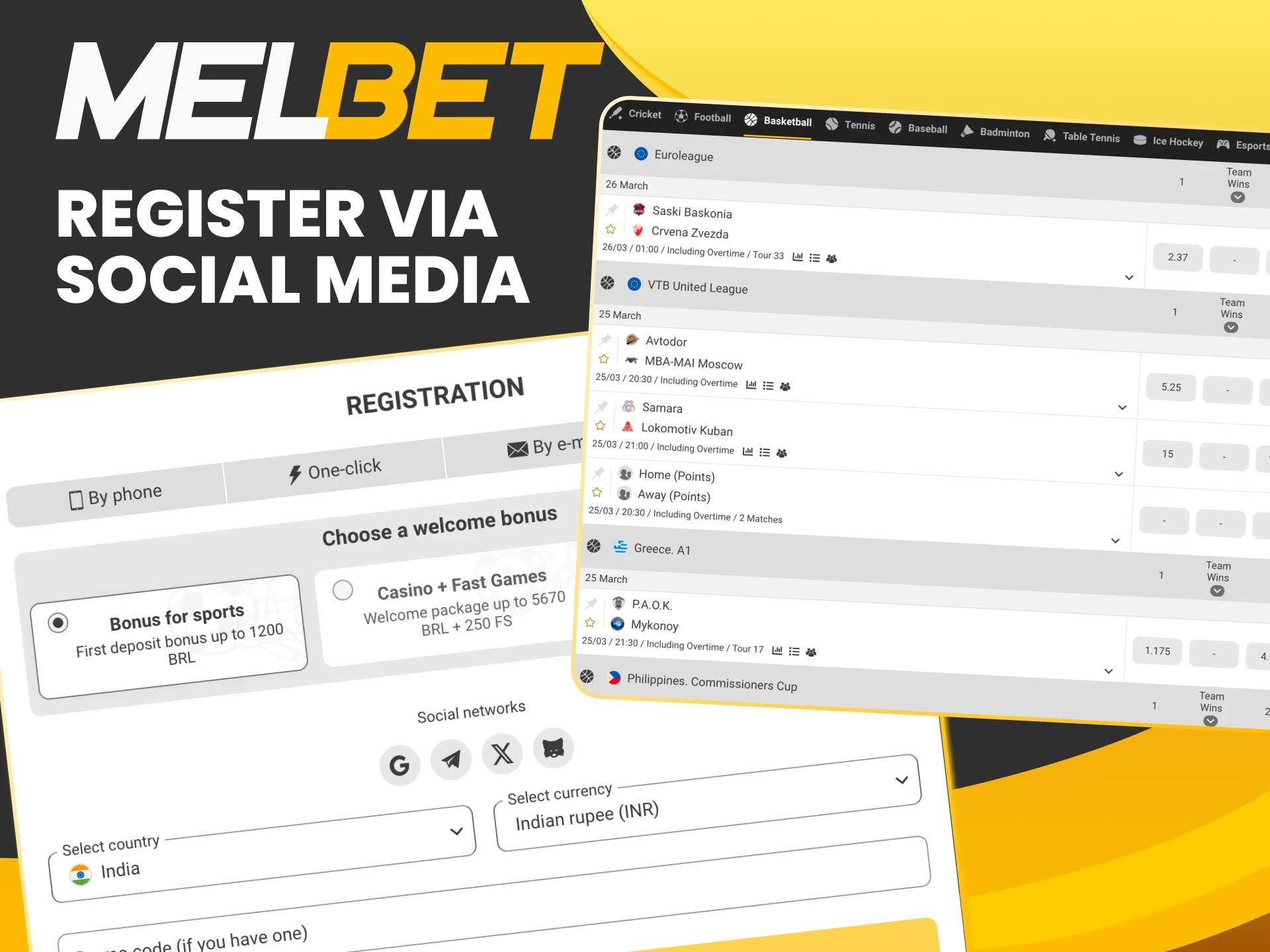
Choose Your Welcome Bonus for Sports or Casino
When you make your first deposit, the Melbet app asks you to choose between the sports bonus and the casino package. You can only select one – choose based on what you plan to play most.
Sports Betting Bonus – 150% up to ₹40,000
This welcome bonus is designed for bettors who primarily wager on cricket, football, kabaddi, or any other sport.
Your first deposit is matched at 150%, up to ₹40,000 in bonus funds. To withdraw the bonus, wager it 5 times through express bets containing 3 or more events, each with odds of 1.40 or higher. The bonus expires after 30 days – any unwagered amount is removed from your account at that point.
Best for: players who want to bet on cricket – IPL, T20 World Cup, Asia Cup – or any live sports market.

Casino Welcome Package – up to ₹2,12,000 + 250 Free Spins
The casino package is spread across your first five deposits, giving you more total bonus value if you plan to play slots, live casino, or crash games.
| Deposit | Bonus % | Max Bonus | Free Spins |
| 1st | 100% | ₹35,000 | 30 |
| 2nd | 150% | ₹42,500 | 40 |
| 3rd | 200% | ₹50,000 | 50 |
| 4th | 150% | ₹42,500 | 70 |
| 5th | 200% | ₹42,000 | 60 |
Wagering requirement is x40 and must be completed within 7 days of each bonus being credited. Free spins are valid on selected slots and expire after 24 hours if unused.
Best for: players who enjoy Aviator, Teen Patti, Andar Bahar, Gates of Olympus, or live dealer games.
KYC Verification – What It Is and How to Complete It
KYC (Know Your Customer) is an identity verification process required by Melbet’s licensing authority before processing your first withdrawal. You do not need to complete KYC to place bets, play casino games, or claim bonuses – but your winnings will be held until verification is approved.
The earlier you submit your documents, the faster you can withdraw when you win.
Documents Accepted for Indian Players
Melbet accepts the following Indian government-issued identity documents. All documents must be valid and unexpired.
- Aadhaar Card – most widely used in India, accepted as primary ID;
- PAN Card – required for larger transactions; advisable to verify with PAN regardless;
- Passport – valid, with photo page clearly visible;
- Voter ID Card (EPIC) – front and back;
- Driving Licence – front and back.
How to Submit KYC in the App
KYC submission is done entirely inside the app. Go to My Profile → Verification → Upload Documents and follow these steps:
- Photograph the front and back of your chosen document – ensure all corners are visible, text is readable, and there are no reflections;
- Take a selfie holding the document next to your face;
- Upload both photos through the app interface;
- Submit and wait for the review.
Verification typically completes within 24 hours and up to 48 hours during high-volume periods. You can track the status under My Profile → Verification. If your documents are rejected, the reason is shown and you can resubmit with corrected files.
Make Your First Deposit After Registration
The welcome bonus activates automatically on your first deposit. There is no manual step to claim it – just deposit, and the bonus appears in your account. The minimum deposit is ₹100, which is among the lowest in the Indian market.
UPI Deposit – Step by Step
UPI is the most popular deposit method among Indian Melbet users because it works with every major bank and mobile wallet.
- Go to Deposit in the app.
- Select UPI from the payment methods list.
- Enter your deposit amount (minimum ₹100).
- The app generates a QR Code and UPI ID.
- Open your bank app (BHIM, Google Pay, PhonePe, Paytm).
- Scan the QR Code or paste the UPI ID.
- Confirm the payment – funds arrive in your Melbet account within seconds.
Other Indian Payment Methods
Beyond UPI, Melbet supports a range of payment options suited to different preferences. All methods listed below are free of deposit fees.
| Method | Min Deposit | Max Deposit | Speed |
| UPI | ₹100 | ₹50,000 | Instant |
| PhonePe | ₹100 | ₹50,000 | Instant |
| Paytm | ₹100 | ₹50,000 | Instant |
| Net Banking | ₹300 | ₹75,000 | Instant |
| Visa / Mastercard | ₹300 | ₹75,000 | Instant |
| Cryptocurrency | ₹100 | No limit | Minutes |
Withdrawals use the same method as your deposit. There are no withdrawal fees, and the minimum withdrawal amount matches the minimum deposit for each method.
What to Do After Registration
With your account created and first deposit made, four steps ensure you get the most out of your Melbet experience from the start.
Claim Your Bonus
Go to Promotions in the app immediately after your first deposit and confirm your chosen bonus is active. Check the wagering requirements and expiry date – the sports bonus expires in 30 days, casino bonus credits are tied to individual deposits with 7-day wagering windows.
Set Up Account Security
The app supports fingerprint login on Android and Touch ID / Face ID on iOS – enable this under Settings → Security for faster, more secure access. Set up two-factor authentication for withdrawals if you want an additional layer of protection. Store your login credentials somewhere secure outside the app.
Enable Push Notifications
When the app asks for notification permissions on first launch, tap Allow. This enables real-time alerts for match starts, bet settlement results, bonus expiry reminders, and new promotion launches. You can customise which notification types you receive under Settings → Notifications at any time.
Registration Problems and Quick Solutions
Most registration issues have a simple fix. Here are the four most common problems Indian players encounter and how to resolve them.
Phone Number Already Registered
Each phone number can only be linked to one Melbet account. If you see this error, an account already exists for your number. Use the Forgot Password function on the login screen – enter your phone number and follow the SMS reset instructions. If you believe the number was registered by someone else, contact live chat support immediately with your ID details.
SMS Code Not Received
First, confirm your number is entered in +91 format and is correct. Wait 60 seconds before requesting a resend – the code has a short cooldown between sends. Check whether your phone blocks SMS from unknown senders or commercial numbers – this is a common setting on Indian SIM cards. If the issue persists after two attempts, switch to email registration instead, which avoids SMS entirely.
Wrong Currency Selected
INR must be selected before completing registration. If you finished the process with a different currency, contact live chat support immediately – in some cases the currency can be corrected before the first deposit. If not, you will need to register a new account with a different phone number or email. Do not attempt to create a second account with the same personal details – this triggers an automatic fraud flag.
Is Melbet Registration Legal in India?
This is the most common question from new Indian players – and the answer depends on which state you are in.
Melbet holds an international Curacao eGaming Licence (8048/JAZ2020-060). There is no central federal law in India that prohibits individual players from registering on and betting through internationally licensed offshore platforms. This is the legal framework under which millions of Indian bettors use platforms like Melbet every day.
However, three Indian states have local laws that restrict online gambling: Andhra Pradesh, Telangana, and Assam. Players from these states face access restrictions and should review their local rules before registering.
In all other Indian states – including Maharashtra, Karnataka, Delhi, West Bengal, Tamil Nadu, and Rajasthan – registering and betting on Melbet is accessible without restriction.
VPN and Registration – What Indian Players Need to Know
Players from Andhra Pradesh, Telangana, and Assam sometimes use a VPN to access Melbet. This section explains how VPN use affects registration specifically – not just general access.
If you use a VPN to register, select a server located in an unrestricted Indian state such as Maharashtra or Karnataka. This makes your visible IP address appear to come from a permitted location.
Critical point: your registration details – name, date of birth, phone number, and ID documents – must be genuine regardless of VPN use. Providing false personal information during registration violates Melbet’s Terms and Conditions and will result in account suspension and forfeiture of any balance. The VPN only masks your location – it does not change the identity verification requirements.
Players outside the three restricted states do not need a VPN. If you are in an unrestricted state and the site is slow or inaccessible due to ISP filtering, a VPN can also improve connection stability. Reliable options that work well with the Melbet app in India: ExpressVPN, NordVPN, and Surfshark.
Responsible Gaming
Melbet provides responsible gambling tools built into the app. Before making your first deposit, it is worth knowing these exist and how to use them.
- Deposit Limits – set daily, weekly, or monthly caps before you start – they take effect immediately and can only be increased after a 7-day cooling-off period;
- Session Time Limits – receive a notification when you have been active for a set duration;
- Cooling-Off Period – temporary account pause without full exclusion;
- Self-Exclusion – lock your account for a defined period or permanently.
FAQ
How long does Melbet registration take in India?
Under two minutes for phone or one-click registration. Email registration takes slightly longer due to the email confirmation step.
What documents do I need for Melbet India registration?
Nothing is required to register. For your first withdrawal, you need one valid Indian ID – Aadhaar Card, PAN Card, Passport, Voter ID, or Driving Licence.
Can I register on Melbet without a phone number?
Yes. Use email registration or social media login – both work without a phone number.
Which currency should I choose when registering Melbet in India?
Always select INR. This cannot be changed after registration and affects how deposits, withdrawals, and bonuses are calculated.
Can I change my currency after registration?
No. Contact live chat support immediately if you selected the wrong currency before making your first deposit. After depositing, a new account is required.
How many Melbet accounts can I have?
One. Duplicate accounts are detected automatically and result in permanent bans on all associated accounts.
Can I register on Melbet from any Indian state?
Yes, in most states. Andhra Pradesh, Telangana, and Assam have local restrictions – players from these states should review their local laws and may need a VPN.
Do I need to verify my account before betting?
What happens if I use wrong details during registration?
If personal details do not match your ID documents, your KYC verification will fail and withdrawals will be blocked. Register with accurate information from the start.
Can I register on Melbet without downloading the app?
Yes. Registration works on the mobile website and desktop site. However, the app gives a smoother registration experience and immediate access to push notifications.
How do I recover my Melbet account if I forget my password?
Tap Forgot Password on the login screen. Enter your registered phone number or email – a reset code or link is sent within two minutes.
Can I change my registration phone number later?
Yes. Go to My Profile → Personal Details and update your contact number. You may need to verify the new number via SMS.
Which registration method is best for Indian players?
Phone number registration is recommended for most Indian players – it is fast, and phone-based account recovery is the most reliable option if you lose access.
Register on Melbet App India and Start Now
Less than two minutes. INR currency. Welcome bonus up to ₹40,000 on sports or ₹2,12,000 on casino. UPI deposits from ₹100. Cricket betting, Aviator, Teen Patti – all live from the moment you register.
Updated: